
How to Build a Programmatic SEO Site with No-Code Tools (2026 Guide)

If you run a small business or a niche website, the problem is familiar. You write one blog post a week. It takes hours. Months later, you’re still stuck at a few hundred visitors, while a competitor with half your effort seems to rank for everything.
That’s the pain point programmatic SEO was built to solve. If you’re weighing it against a slower, manual content and SEO strategy, this guide will help you decide which one fits your business right now.
Programmatic SEO turns one page template and one structured dataset into hundreds, sometimes thousands, of search-ready pages, without a full development team. In 2026, much of that can be built without writing code. This guide walks through how to build that kind of system with no-code tools, when it’s the right move, when it isn’t, and how to scale it responsibly.
What Is Programmatic SEO?
Programmatic SEO is the practice of using structured data and a repeatable page template to generate large numbers of targeted pages automatically. Instead of manually writing “Best CRM for Real Estate Agents in Austin” and then repeating that for 200 other cities, you build one template, connect it to a dataset of city and category information, and let the system assemble the pages.
Done well, programmatic SEO isn’t a shortcut around good content. It’s a system for producing genuinely useful pages at a scale manual writing can’t match. Companies like Zapier and Wise have used this approach for years to reach long-tail search terms most competitors never bother targeting.
This isn’t, by itself, a traffic guarantee. Publishing more pages does not automatically produce more visitors. The pages that work are the ones built on data people are actually searching for.
When Programmatic SEO Makes Sense
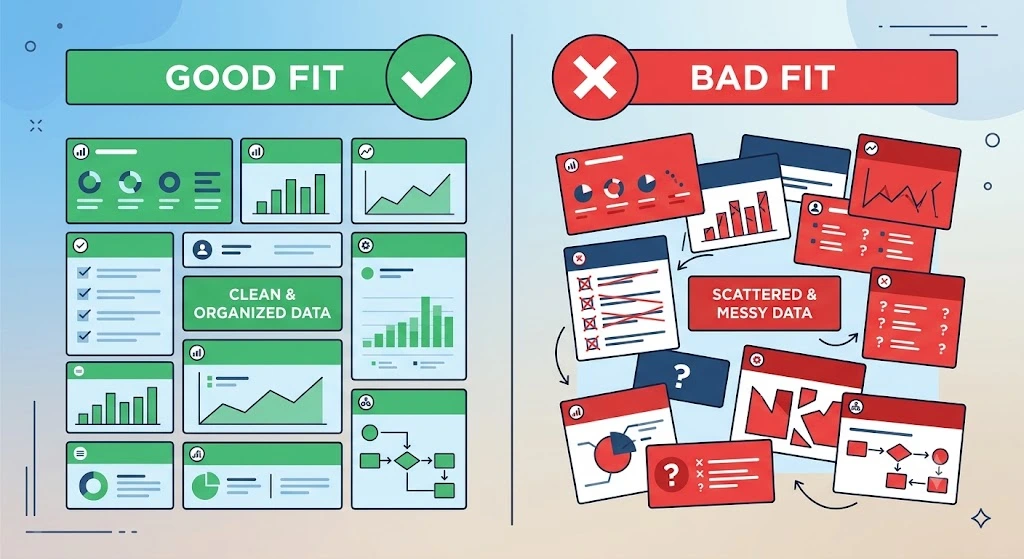
This approach tends to work well when:
- You have a structured dataset that’s genuinely large (hundreds or thousands of rows)
- The combinations in that dataset are individually useful, not just technically possible
- There’s measurable search demand behind those combinations
- The pages differ from each other in meaningful ways, not just a swapped name
- The underlying data updates regularly, giving pages a reason to stay fresh
When It Doesn’t
It’s a poor fit when:
- The goal is simply to generate more keywords to target
- The dataset is small or thin, with only one or two fields per row
- The resulting pages would be nearly identical to one another
- There’s no unique data behind each page, just a template and a name swap
- Every page exists mainly to push an affiliate link or ad, with little real content
Knowing when to walk away from this kind of project is as important as knowing how to build one. A smaller, well-built set of pages will consistently outperform a large set of thin ones, the same principle that shapes most automation strategies built to scale a business rather than just add more moving parts.
Step 1: Find a Valuable Dataset
Every project like this starts with data, not content. Before opening a page builder, look at what structured information your business already has sitting in a spreadsheet.
Good starting points include:
- Product specs, pricing tiers, or feature comparisons
- Location-based service data (city, service type, price range)
- Reviews, ratings, or usage statistics
- Industry-specific glossaries or definitions
The richest opportunities usually hide in data you already own but haven’t turned into pages yet.
Step 2: Validate Search Demand
Before building anything, check whether people actually search for the page variations you’re planning. Use a keyword tool, Google Autocomplete, or “People Also Ask” results to see if there’s real demand behind your dataset combinations.
If a combination in your spreadsheet has zero search volume and no realistic path to demand, it’s a page not worth building. This step alone prevents a large share of wasted effort in a project like this.
Step 3: Choose Your No-Code Stack
For many small and medium-sized projects, you can build a working first version without writing code. As your dataset, conditional logic, structured data markup, and automation needs grow more complex, some technical work may become necessary, but you don’t need that from day one.
A simple no-code SEO stack usually includes:
- Data layer: Google Sheets or Airtable to hold your structured dataset
- Automation layer: Zapier, Make, or Whalesync to sync data into your website
- Publishing layer: WordPress with WP All Import and Advanced Custom Fields, or a no-code builder like Webflow
- Monitoring layer: Google Search Console and Screaming Frog to catch indexing and technical issues early
Match your tools to your project size. A few hundred pages don’t need enterprise infrastructure.
Step 4: Build the Page Template
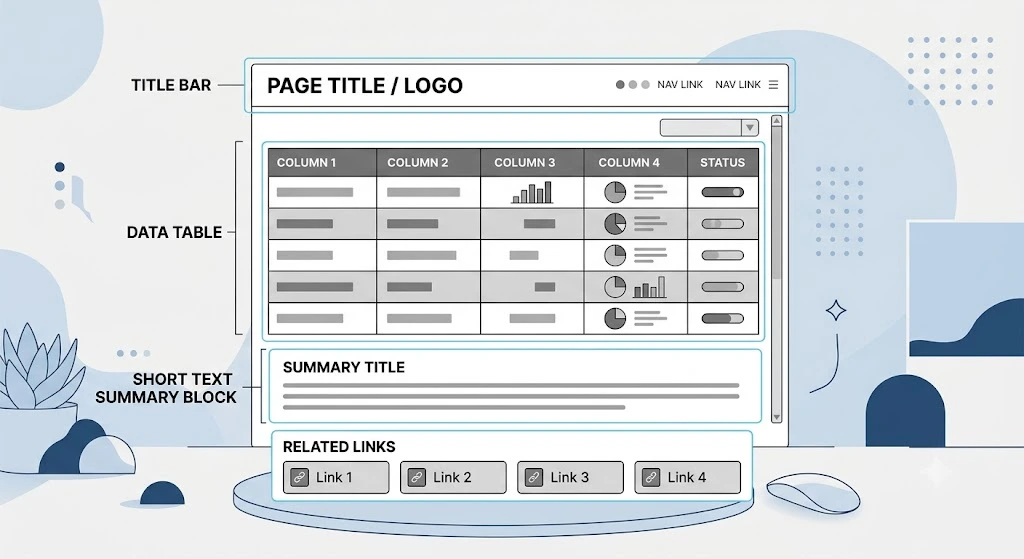
Your template is the promise every generated page makes to a reader. A strong template should answer one specific question or solve one specific problem, not simply exist to catch a keyword.
At a minimum, plan for:
- A title and intro that clearly states what the page answers
- A data section built from your structured dataset
- A short written summary or interpretation, not just a table of numbers
- Internal links to closely related pages in the same cluster
A Simple Example
Say your dataset looks like this:
| City | Service | Price Range | Rating |
|---|---|---|---|
| Austin | CRM Consulting | $$ | 4.8 |
| Denver | CRM Consulting | $$ | 4.6 |
| Miami | CRM Consulting | $$$ | 4.7 |
One template, applied to each row, produces the following:
/crm-consultants/austin//crm-consultants/denver//crm-consultants/miami/
Same layout, same structure, but each page carries different pricing, ratings, and local context. That’s the core mechanic behind this approach, regardless of industry: one template, many rows of genuinely different data.
Step 5: Add Unique Value to Every Page
This is the step most of these projects underestimate. A small number of data points, say city, price, and category, can be a reasonable starting point, but data quantity alone isn’t a quality guarantee. If everything around those fields reads identically from page to page, the page can still be thin.
A better framework: every generated page should ideally have
- Unique underlying data
- A distinct search intent from other pages in the set
- A useful interpretation of that data, not just a raw display of it
- Meaningful comparison or context
- Relevant internal links
- A clear reason to exist
Google’s spam policies draw a similar line: publishing a large number of pages isn’t prohibited on its own. The problem is pages built primarily to manipulate rankings, without enough original value for the person reading them. That distinction should guide every template decision in a project like this.
Step 6: Launch in Controlled Batches
Publishing everything on day one makes it harder to catch quality, indexing, and technical problems before they spread across the whole site. A controlled rollout gives you room to correct course early.
A reasonable approach:
- Publish a test batch of 50 to 100 pages
- Monitor Search Console for two weeks and watch indexing rate and impressions
- If the pages are indexing well and picking up impressions, publish the next batch
- Repeat, expanding gradually as confidence builds
Step 7: Monitor Indexing & Search Performance
Once pages are live, watch Search Console closely. Look at indexing rate, impressions, average position, and click-through rate by page group, not just as a site-wide total. This is how you catch a weak template family early, before it scales into hundreds of underperforming pages. If you’re new to reading these reports, it’s worth pairing this step with a broader look at how to track organic search performance across your site, not just within one page cluster.
Step 8: Prune, Improve & Expand
Pruning is the step most people skip, and it’s often why a site like this loses momentum months later. Not every page will perform. Some will sit at zero impressions no matter how long you wait.
Review your pages regularly and ask:
- Is this page getting impressions or clicks in Search Console?
- Does the underlying data still hold up, or has it gone stale?
- Would removing this page improve the average quality of the site?
Sites that prune underperforming pages and enrich the ones that remain often see traffic climb even as total page count shrinks. Quality density tends to matter more than raw volume.
How Many Pages Do You Actually Need?
It’s tempting to treat this as a page-count game. It isn’t. Consider two scenarios:
- 1,000 well-targeted pages averaging 50 visits a month each adds up to 50,000 monthly visits
- 10,000 poorly targeted pages averaging zero visits each adds up to nothing
The lesson: don’t optimize for page count. Optimize for genuine search demand per page. A system built around real demand will always outperform one built around volume alone.
Real Example: Wise
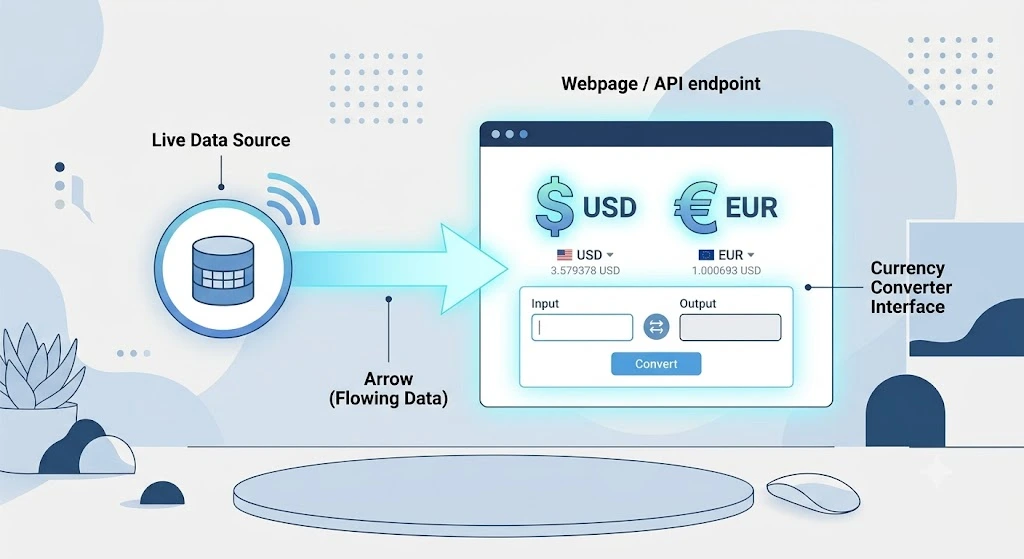
Wise, the international money transfer company, is a well-known example of a business using large-scale, data-driven landing pages to grow organic traffic. The company built currency-converter pages covering a wide range of currency pair combinations, each populated with live exchange rate data, comparisons against other transfer services, and a clear next step for the reader. Ahrefs’ case study on Wise breaks down the mechanics in detail, including how templated landing pages contributed to their growth.
What makes Wise a useful reference point isn’t the raw page count. It’s that the pages aren’t static. Exchange rates change daily, so every page has a built-in, legitimate reason to stay fresh and useful, rather than sitting as a template with a name swapped in. That’s the principle worth borrowing at a much smaller scale: build pages around data that actually changes and actually matters to the person reading it.
Can AI Be Used in Programmatic SEO?
Yes, but with a specific role. AI works best in a programmatic SEO system when it helps interpret, enrich, classify, or summarize data you already have, not when it’s used to generate thousands of interchangeable pages on its own.
Useful ways to apply AI:
- Writing a short summary from structured fields that would otherwise be a bare data table
- Classifying or tagging large datasets before they go into templates
- Drafting varied intros so pages don’t read as mechanically identical
Google’s own guidance on its March 2024 update draws a similar distinction: the policy targets content produced at scale to boost rankings, whether automation, humans, or a combination were involved, not the use of automation itself. If you’re layering AI into any part of your workflow, it’s worth reading that update alongside your existing approach to AI automation for small businesses so the two stay consistent.
Common Mistakes to Avoid
- Thin data: Pages built on only one or two data points rarely hold up over time
- Identical phrasing across pages: If every page reads the same with only a name swapped, it reads as manipulation rather than utility
- No internal linking strategy: Missing or random internal links make a page cluster look like a pile of disconnected pages instead of a structured resource
- Publishing everything at once: A sudden, unmonitored flood of pages makes it harder to catch quality and indexing issues before they compound
Page Quality Checklist
Before publishing any page, score it against these questions:
| Factor | Question to ask |
|---|---|
| Search intent | Does this page serve a distinct search intent? |
| Unique data | Does it contain meaningful, page-specific data? |
| User value | Does a visitor get an immediate, useful answer? |
| Differentiation | Is this page genuinely different from the others in the set? |
| Internal links | Is it connected to relevant related pages? |
| Freshness | Does the underlying data need regular updates? |
| Business fit | Does it naturally connect to a business goal? |
If a page scores low across most of these, it’s worth reworking the template or leaving that page out of the batch.
How We Approach Programmatic SEO
We focus on search demand, data quality, page differentiation, internal linking, and measurable user value, rather than publishing pages simply to increase URL count. That framework is what shapes every step in this guide, and it’s the same standard we’d apply before recommending any project like this move from test batch to full rollout.
A Simple Way to Think About the Structure
A project like this usually works best when it follows a clear hierarchy:
Main guide → SEO strategy → page template → location, product, or comparison pages → related pages within the cluster
Keeping that structure in mind while building your dataset and template makes internal linking far more intuitive later on.
FAQ
Can programmatic SEO generate significant monthly traffic? It’s possible, but page count alone doesn’t guarantee it. Traffic comes from genuine search demand behind each page, not from the number of pages published.
Do I need coding skills to build a programmatic SEO site? For many small and medium projects, no. Tools like Airtable, Zapier, Make, WordPress with WP All Import, and Webflow can get a first version live without code. More complex projects may eventually need some technical support.
How many pages do I need to reach meaningful traffic? It depends entirely on your niche, competition, and the search demand behind your dataset. A smaller set of well-targeted pages usually performs better than a much larger set of thin ones.
Will Google penalize pages built this way? The risk is tied to quality, not the method. Thin, duplicative pages built mainly to manipulate rankings are the target of current spam policies, not structured pages that offer real value.
What’s a reasonable no-code stack to start with? For most small businesses, Google Sheets or Airtable for data, Zapier or Whalesync for automation, and WordPress or Webflow for publishing is a practical starting stack.
How long before a site like this starts ranking? This varies by niche and site authority. Launching in small, monitored batches and keeping data quality high from the start gives pages the best chance to index and rank steadily.
Final Thoughts
Programmatic SEO isn’t just a way to publish more pages faster. Used well, it’s a system for turning structured business data into a search asset that keeps working over time, one dataset, one template, and one controlled batch at a time.
Start small. Pick one dataset you already have. Validate that people are actually searching for it. Build one template. Publish one test batch, watch how it performs, and let the data guide what comes next. And if this approach turns out not to be the right fit yet, a steady content marketing and SEO approach is still a solid place to build from.