7 Powerful Ways to Automate Task Assignment and Reminders for Small Businesses
Automate task assignment and reminders is one of the simplest ways for small businesses to reduce missed deadlines, improve accountability, and save valuable time.
If you run a small team, you already know this feeling: you assigned a task in a Slack message on Tuesday, mentioned it again in a Friday call, and by the following week, nobody could quite remember who owned it. Nobody is being lazy. The task simply fell through a system that was never built to hold it — a mix of memory, sticky notes, and good intentions.
Small teams almost always start out assigning tasks manually. Someone remembers what needs to happen, mentions it in a meeting or a message, and hopes it sticks. It works when a team has three people. It quietly breaks down once a team has eight people, three clients, and two projects running at the same time. Deadlines get missed not because anyone is careless, but because there’s no system tracking who owns what and when it’s due. Follow-ups get repeated over and over—”Hey, did you get to that yet?”—which wastes time and, frankly, wears down trust inside a team.
This is exactly the gap that automation is built to close. Automating task assignment and reminders doesn’t mean replacing your team with software. It means letting a workflow catch what a human memory naturally drops—the deadline reminder, the automatic handoff, and the overdue alert—so people can spend their energy doing the work instead of tracking who’s supposed to be doing it.

By the end of this guide, you’ll understand why manual task tracking breaks down as teams grow; how to automate task assignment and reminders step by step; which tools fit different budgets and skill levels; and how to build your very first automated workflow—starting today, with one task type, not your entire operation.
Why Small Businesses Struggle to Automate Task Assignment and Reminders
Most small businesses don’t fail at task management because they lack effort. They fail because the system they’re using — usually a mix of chat apps, email, and memory — was never designed to track ownership or deadlines in the first place. A few patterns show up again and again.
Manual task assignment. Tasks get handed out verbally, in a group chat, or buried in a long email thread. There’s no single place that says “this is assigned, this is the deadline, this is the status.” When a manager is out sick or swamped, the whole system stalls because it depends entirely on one person remembering to delegate.
Missed deadlines. Without a structured deadline attached to a task the moment it’s created, “soon” quietly becomes “next week,” and “next week” becomes “whenever.” This isn’t a discipline problem. It’s the predictable result of not having a trigger that reminds anyone a deadline exists.
Repeated follow-ups. Managers end up doing the same check-in over and over: “Did you finish X?” This is manual reminder work, and it’s expensive—every follow-up message is a small tax on a manager’s time that a workflow could handle instead.
Lack of team visibility. When tasks live in someone’s head, an inbox, or a private chat thread, nobody else can see what’s actually in progress. That means duplicated work, tasks nobody realizes are stalled, and status updates that only exist because someone asked out loud.
If any of this sounds familiar, you’re not alone. Task lists scattered across five different apps, reminders lost in a flooded inbox, an owner effectively running the business from memory — this is one of the most common operational pain points founders run into once a business grows past the “we can just talk about it” stage. In fact, time management consistently ranks as one of the top operational challenges small business owners report, according to the NFIB Small Business Economic Trends research, and workflow gaps like these are a major reason why.
How Automated Task Assignment Works
Automated task assignment isn’t a single tool — it’s a small set of connected rules that turn a manual habit into a repeatable system. Once it’s set up, a task moves from “created” to “owned” to “on a timeline” without anyone having to remember to push it forward. This is really what it means to automate task assignment and reminders: you’re not adding more software for its own sake; you’re building rules that do the remembering for you.
Create Tasks From a Standard Workflow
Instead of tasks appearing wherever someone happens to type them, they’re created from a standard trigger — a form submission, a new client onboarding, a recurring checklist, or an email that matches a certain pattern. This matters more than it sounds like it should: when every task is created the same way, every task automatically has the same structure—a title, an owner field, a due date field, and a status. Nothing has to be typed out manually every time.
Assign Tasks Automatically
Once a task exists, it can be routed to the right person automatically based on simple rules — role, workload, task type, or a rotating schedule. A new design request goes to whoever is on design duty that week. A client complaint routes straight to the account manager attached to that client. This removes the step where a manager has to manually decide and type out “can you take this one?” for every single task that comes in.
Set Deadlines and Priorities
Deadlines should be attached the moment a task is created, not added later as an afterthought. Most task tools let you set a default turnaround time per task type—a client request might default to 48 hours and an internal task to a week—so priority and urgency are baked into the system rather than left to memory.

How to Automate Task Reminders
Assignment solves half the problem. The other half is making sure a task doesn’t get created, assigned, and then quietly ignored. Reminder automation is what keeps a task moving without a manager having to personally chase it down.
Deadline-Based Reminders
These are reminders tied directly to a task’s due date—a notification sent 48 hours before and again on the day itself. This is the simplest form of automation and usually the first one small teams should set up, because it directly replaces the “hey, don’t forget” message a manager would otherwise have to send by hand.
Overdue Task Alerts
When a deadline passes without the task being marked complete, an automatic alert should go to both the task owner and, ideally, their manager. This is the piece that stops small missed deadlines from turning into client-facing problems. It’s also the single feature that shows up most often in “what changed for us” comments when small teams talk about their first real automation win.
Recurring Task Reminders
Some tasks aren’t one-off—payroll, weekly reports, monthly client check-ins, and inventory counts. Recurring reminders regenerate the task automatically on a set schedule so nobody has to manually recreate it every week or month, and nothing gets forgotten simply because it wasn’t top of mind that day.

A Simple Way to Automate Task Assignment and Reminders
Here’s what this looks like in practice, stitched together into a single flow rather than separate features:
New task → Assign team member → Set deadline → Reminder → Completion → Follow-up
A client submits a request through a form. The system creates a task automatically. Based on the request type, it’s assigned to the right person — no manual routing needed. A deadline is attached based on the task type’s default turnaround. As the deadline approaches, the assignee gets a reminder. If the task is completed on time, it’s marked “done,” and the workflow closes. If it’s not, an overdue alert fires and a follow-up reminder goes out—automatically, without a manager having to notice the gap themselves.
This is the core of what it means to automate task assignment and reminders for a small business. It’s not about complicated software. It’s about making sure the four things that used to depend on someone’s memory — creation, ownership, timing, and follow-up — now depend on a system instead.
Tools You Can Use to Automate Task Management
There’s no single “best” tool here—the right one depends on team size, budget, and how much setup time you have. It helps to think in terms of use cases rather than shopping for a feature list.
Project Management Platforms
Tools like Asana, ClickUp, Trello, and Monday.com are built around visible task boards, and most include native automation rules — for example, “when a task’s status changes to Done, notify the assigner” or “when a task is created in this list, assign it to Person X.” These work well for teams that want assignment, reminders, and visibility all inside one shared space, rather than stitching several tools together.
Calendar and Notification Automation
For teams that don’t need a full project management system yet, deadline reminders can be handled through calendar automation — recurring events, shared calendars with assigned owners, and built-in notification rules in tools like Google Calendar or Outlook. This is a lighter starting point that’s often enough for very small teams before they need a dedicated platform.
No-Code Automation
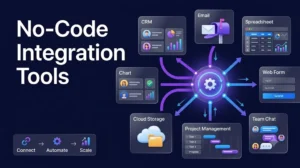
Tools like Zapier and Make let you connect apps that don’t naturally talk to each other — a form submission triggering a task creation in your project tool, which then triggers a Slack notification to the assignee. This is especially useful once your workflow spans more than one app, since it removes the manual step of copying information from one place to another. According to Zapier’s own research on business automation, a large share of businesses have already implemented automation in at least one workflow, and task-related processes are consistently among the earliest wins teams report.
How to Automate Task Assignment and Reminders in 7 Simple Steps
You don’t need a complex system to start. A working first automation usually follows the same seven steps:
- Identify repetitive tasks—Pick something that happens the same way every week or month, not a one-off project.
- Define who owns each task—be specific. “The team” is not an owner; a named person or role is.
- Set a trigger—Decide what starts the task: a form, a date, a status change, or a new client.
- Add a deadline — Attach a default turnaround time so urgency isn’t left to guesswork.
- Create a reminder — Set at least one reminder before the deadline and one for if it’s missed.
- Test the workflow — Run it once yourself before rolling it out to the full team, so you catch gaps early.
- Review results—After a few weeks, check whether deadlines are actually being hit more often, and adjust.
Common Mistakes to Avoid
Automating Too Many Tasks at Once
It’s tempting to automate everything the moment you find a tool you like. Resist that. Start with one workflow, get it working reliably, and only then move to the next one. Trying to automate an entire operation in a single week almost always leads to a messy setup nobody fully understands.
Creating Too Many Notifications
If every task sends three reminders to five people, your team will start ignoring notifications altogether, which defeats the entire purpose. Reminders only work if people trust that the ones they get actually matter.
Not Defining Task Ownership
Automation can route a task, but it can’t invent accountability. If a task doesn’t have one clearly named owner, an automated reminder just becomes noise that everyone assumes is meant for someone else.
Ignoring Overdue Tasks
An overdue alert that nobody actually acts on is worse than no alert at all — it trains your team to treat every notification as optional. Overdue tasks need a real next step, even if that step is as simple as a manager checking in personally.
How Automating Task Assignment and Reminders Helps Business Scaling
Task automation isn’t just a convenience — it’s one of the quiet structural pieces that lets a small business grow without everything running through one overloaded person. As a team grows from five people to fifteen, the informal “just ask in the group chat” system stops scaling. When you automate task assignment and reminders, ownership and deadlines stay clear even as the number of moving parts multiplies, which is exactly the kind of operational foundation that supports sustainable business scaling rather than constant firefighting.
If you want to go deeper on this specific workflow, our guide on how to automate project management and task assignments walks through a more detailed setup for growing teams.
Start With One Repetitive Workflow
You don’t need to overhaul how your entire business runs this week. Pick one repetitive task—client onboarding, weekly reporting, invoice follow-ups, whatever eats the most of your attention right now. Automate task assignment and reminders for that single workflow first. Measure whether deadlines actually improve. Once it’s working, move on to the next one.
Task automation isn’t about removing people from the process. It’s about making sure the system remembers what your team is too busy to keep remembering on its own.