
how to automate lead follow-up for small business without coding 2026
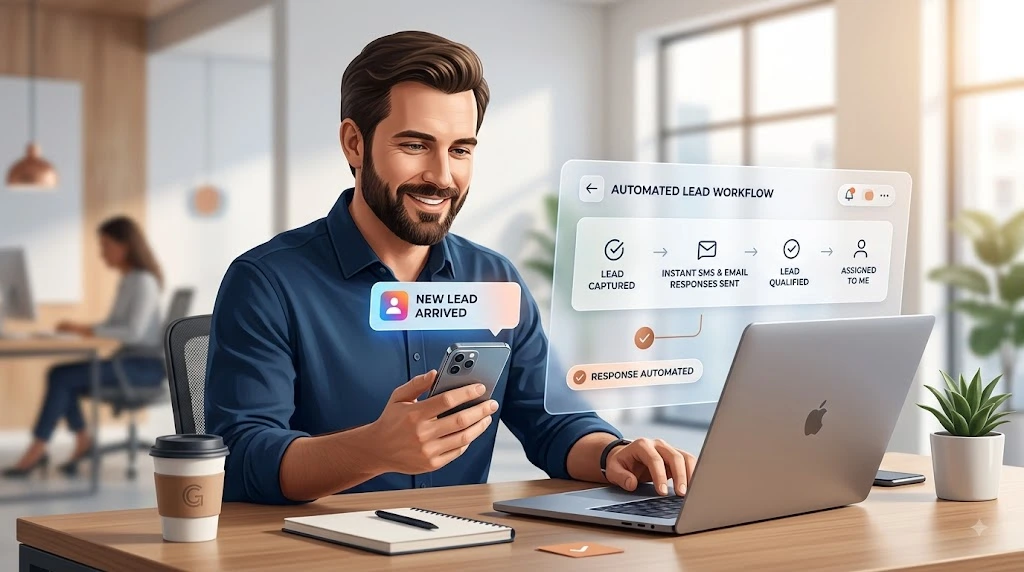
Most small businesses don’t lose deals because their product is weak or their price is wrong. They lose deals because nobody replied fast enough. A lead fills out a form, gets excited, and waits—and by the time someone finally calls back, they’ve already booked with a competitor who answered first.
This guide breaks down how to automate lead follow-up for small businesses without coding, using tools you can set up in an afternoon. No developers, no custom scripts — just a simple, repeatable system that responds to every lead the moment they raise their hand.
1. Why Small Businesses Lose Leads During Follow-Up
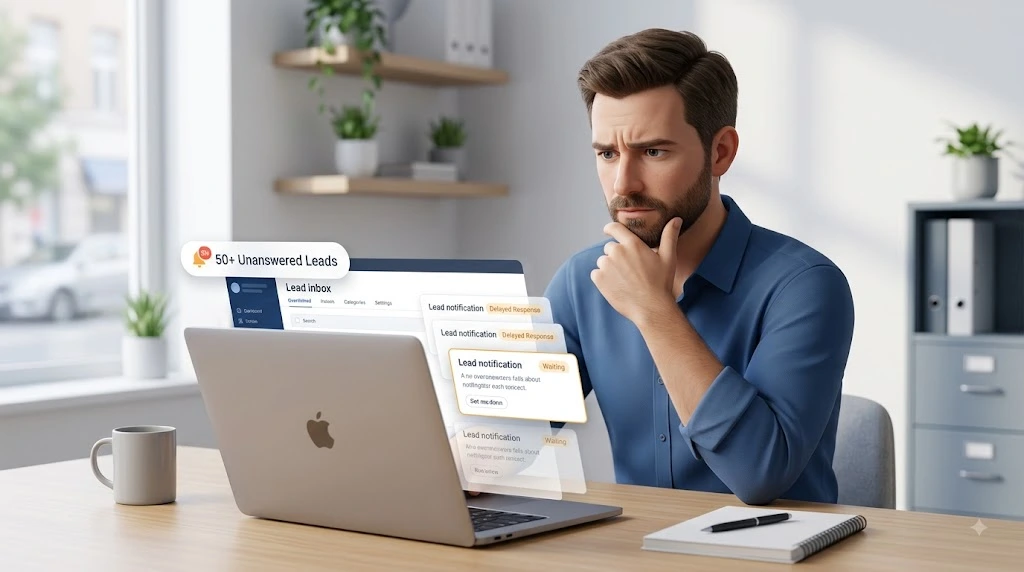
Small business owners rarely lose leads on purpose. They lose them to the gap between “interested” and “contacted.” A handful of things happen over and over:
- The lead comes in on a weekend or after hours, and nobody sees it until Monday.
- The owner is on a job site, in a client meeting, or simply buried, and the inquiry sits in an inbox.
- Follow-up depends on memory—a sticky note, a mental to-do, or a spreadsheet nobody opens twice.
- There’s no second or third touch. One unanswered call and the lead is written off as “not interested.”
Research backs up how costly this gap really is. A widely cited audit by Harvard Business Review tested response times across 2,241 U.S. companies.
It found that firms contacting a lead within the first hour were nearly seven times more likely to qualify that lead than those who waited even a little longer — and more than sixty times more likely than companies that waited 24 hours or more. Yet the average response time among the companies studied was still 42 hours, and close to a quarter never responded at all.
That’s not a sales-skills problem. It’s a speed and consistency problem, and it’s exactly what automation is built to solve.
2. What Lead Follow-Up Automation Actually Does
Lead follow-up automation isn’t about replacing your sales conversations with robots. It’s about making sure nothing depends on a human remembering to act at the right moment. This is the core of how to automate lead follow-up for small businesses without coding: remove the memory dependency, not the personal touch.
In practice, automation handles three jobs:
- Speed — sending an instant acknowledgment the second a lead comes in, even at 11 p.m. on a Sunday.
- Consistency — running the same sequence of emails, texts, or tasks for every single lead, so nobody falls through the cracks because a team member was busy.
- Routing — making sure the right lead reaches the right person (or gets flagged for a human) at the right time.
The automation doesn’t close the deal. It buys your team the time and structure to close the deal by keeping the lead warm until a real conversation happens.
3. The Simple Lead Follow-Up Workflow
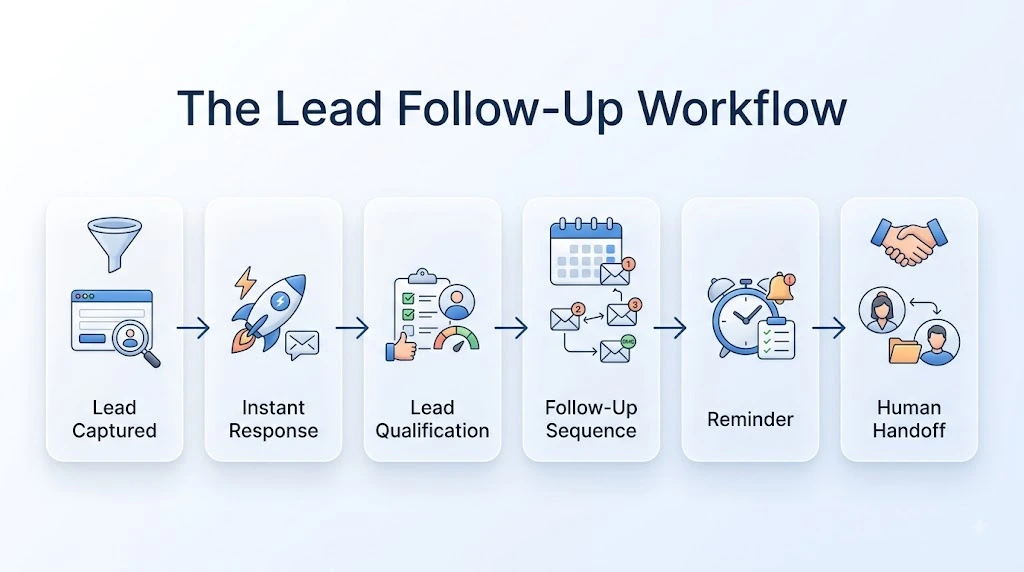
Before picking any tool, it helps to see the whole system as one continuous flow. Every automated lead follow-up process, no matter the industry, is really just six steps—the same six steps you’ll use to automate lead follow-up for small businesses without coding, regardless of which tools you choose:
- Lead captured — someone fills a form, messages you on WhatsApp, calls, or books a slot.
- Instant response — an automated message confirms you received their inquiry.
- Lead qualification—a few questions (budget, timeline, and need) sort the lead by priority.
- Follow-up sequence — a scheduled series of emails or texts nurtures leads who aren’t ready yet.
- Reminder — the system nudges your team (or the lead) if there’s been no reply.
- Human handoff — once a lead is warm or ready to talk, a real person takes over.
Everything in this article maps back to these six steps. Once you understand the flow, the “no-code” part becomes a matter of connecting tools, not building anything from scratch.
4. How to Automate Lead Follow-Up Without Coding
No-code automation works because most modern tools are built around triggers and actions: “when this happens, do that.” A form submission triggers an email. A missed call triggers a text. A tag added in your CRM triggers a task for a rep.
You don’t need to know how to code because platforms like Zapier, Make, and n8n already speak to hundreds of apps—your website form, your email inbox, your calendar, and your CRM—through pre-built connections. Your job is to define the logic (the “if this, then that”) using a visual, drag-and-drop interface instead of writing scripts. If you want a deeper walkthrough of how these connections actually work, see our guide on no-code integration tools.
The rest of this guide walks through that logic step by step.
5. Step 1: Choose Where Your Leads Come From
Before automating anything, list every place a lead can enter your business. This is where automated lead follow-up for small business setups usually starts—mapping the sources before touching any tool. For most small businesses, that’s a short list:
- Website contact form or booking widget
- Facebook or Instagram lead ads
- Google Business Profile messages or calls
- WhatsApp or SMS inquiries
- A landing page for a specific offer
Each source needs to feed into one central place. Trying to automate five disconnected inboxes is harder than automating one system that pulls from five sources. This is the first real design decision, and it’s worth doing on paper before touching any software.
6. Step 2: Send an Immediate Response
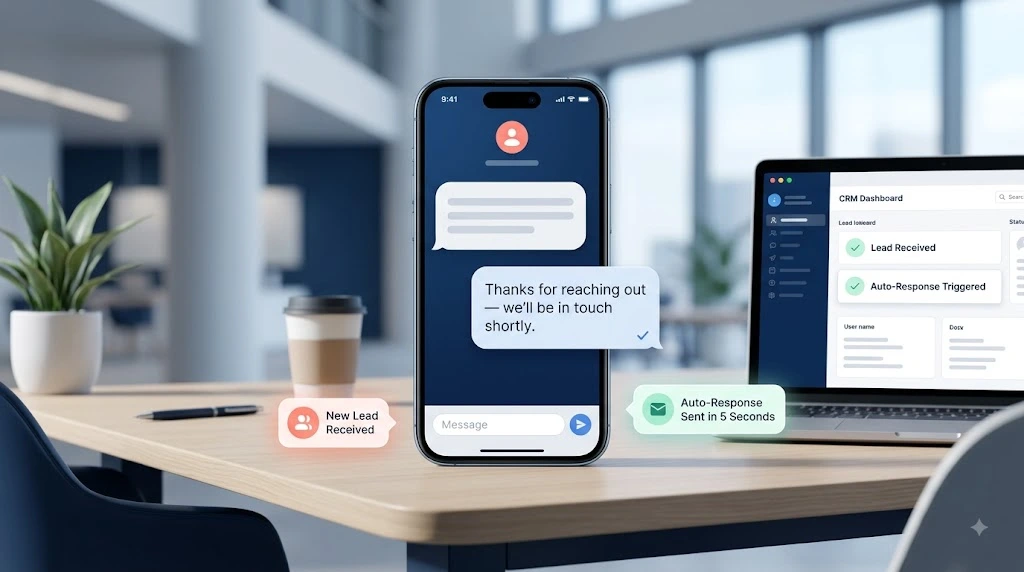
This is the single highest-leverage step in the entire system. As soon as a lead is captured, an automated email or text should go out within seconds — not hours.
A good instant response does three things: confirms you received the inquiry, sets an expectation (“we’ll call within the next hour”), and gives the lead something to do while they wait, like a link to your portfolio, pricing guide, or booking calendar. Keep it short and human — this is not the place for a wall of marketing copy.
7. Step 3: Store and Organize Leads
Every lead needs a home. Without a central record, follow-up automation has nothing to run on. A simple CRM or even a well-structured spreadsheet-style database works fine for most small businesses starting out.
At minimum, each lead record should capture the following: name, contact details, source, date captured, qualification status, and the last action taken. Airtable is a popular choice here because it stores data and triggers automations directly from record changes—a new row or a status change can kick off the next step in your sequence.
HubSpot’s free CRM is a solid place to store leads too, but note its multi-step follow-up sequences aren’t available on the free tier — that feature sits behind a paid Sales Hub plan. If you want HubSpot handling the sequence itself (not just storage), budget for that upgrade, or route the sequence through Zapier/Make instead.
8. Step 4: Create a Follow-Up Sequence
Not every lead is ready to buy the moment they inquire. A follow-up sequence keeps you visible without being pushy. A workable structure looks like this:
- Day 0: Instant response + helpful resource
- Day 1: Short check-in — “Did you get a chance to look at this?”
- Day 3: Social proof — a case study, testimonial, or before/after
- Day 7: Direct offer — a call booking link or limited-time incentive
- Day 14: Final, low-pressure check-in before moving the lead to a longer-term nurture list
This sequence should stop automatically the moment the lead replies or books a call—nothing kills trust faster than a “Did you see my last email?” message after someone already responded.
9. Step 5: Add AI Without Making the Process Robotic
AI tools can now draft replies, answer common questions, and even qualify leads through a chat widget before a human ever gets involved. Used well, this speeds things up. Used badly, it makes your business feel like a call center.
A few guardrails keep AI follow-up from feeling robotic:
- Write prompts in your own voice, not generic marketing language.
- Let AI handle the first response and simple questions, but hand off to a human the moment a lead asks something specific about pricing, timelines, or custom needs.
- Avoid stacking multiple auto-replies back to back — one thoughtful AI-assisted message beats three generic ones.
- Review a sample of AI-generated messages weekly to catch anything off-brand or inaccurate.
The goal is a lead who feels like a real business responded quickly—not one who feels like they’re talking to a chatbot with no way out. This kind of connected, tool-based approach is really just one piece of a broader business automation strategy—lead follow-up is often where small businesses start, then expand automation into other parts of the operation.
10. Step 6: Know When a Human Should Take Over
Automation should always have an exit ramp. Certain signals should immediately pull a lead out of the automated sequence and onto a real person’s plate:
- The lead replies with a specific question or objection
- The lead requests a call or meeting
- The deal size or complexity is above a set threshold
- The lead has gone quiet for longer than your sequence allows, and a personal check-in is more likely to land than another automated message
Set this up as a rule inside your automation platform — for example, “if a reply is received, remove from sequence and notify sales rep” — so the handoff happens instantly, not the next time someone happens to check the inbox.
11. Best No-Code Tools for Lead Follow-Up
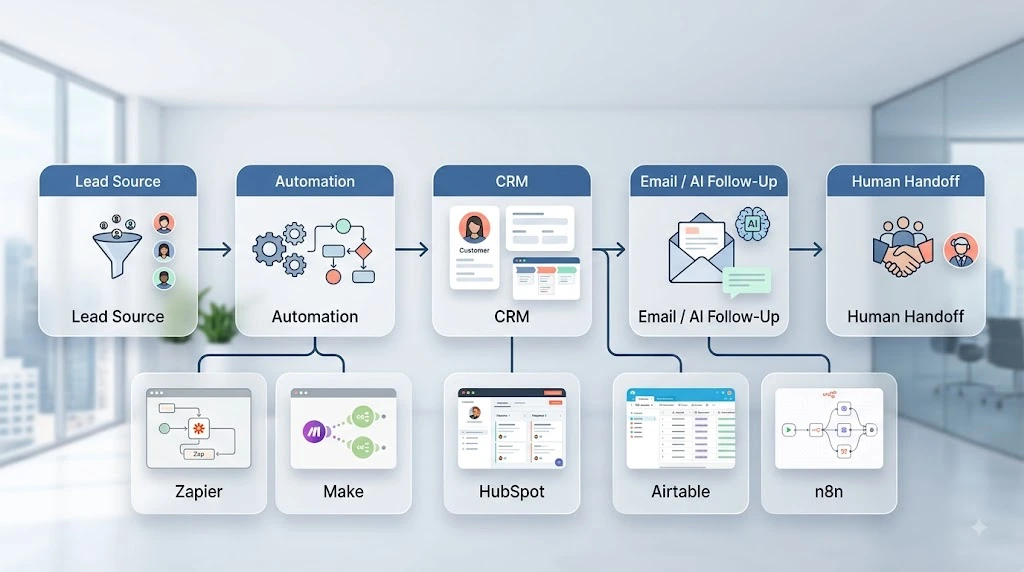
Mapped against the workflow from Section 3, here’s where each tool typically fits:
Lead Source → Automation: This is the connective layer. Zapier and Make both watch for new leads (a form fill, a new spreadsheet row, a missed call) and trigger the next action automatically, without any code. Zapier tends to be the easier starting point for beginners; make offers more visually flexible for multi-step workflows.
Automation → CRM: Once a lead is captured, it needs a home. HubSpot’s free CRM tier is a common choice for small businesses for contact storage, basic deal tracking, and simple form-triggered emails — though its multi-step sequences and workflow automation are gated behind a paid Sales Hub plan.
Airtable works well for businesses that want a more customizable, spreadsheet-like database, and its free plan includes a limited number of automation runs per month built in.
CRM → Email/Follow-up: For the free tiers of either tool, the most reliable route is triggering your actual follow-up sequence through Zapier or Make rather than relying on native CRM automation — that keeps the sequence logic working even before you’re ready to pay for a higher CRM tier.
Follow-up → AI: For businesses that want AI-assisted replies or qualification, tools connect into chat widgets or AI email drafting features layered on top of the CRM.
Automation → Human Handoff: n8n is worth mentioning separately — it’s a more technical, self-hostable automation tool that still requires no coding for most workflows, and it’s popular with businesses that want more control over data and lower long-term costs as volume grows.
You don’t need all five tools. Most small businesses can run a complete system with just one automation platform (Zapier or Make) connected to one CRM (HubSpot or Airtable).
12. Common Lead Follow-Up Automation Mistakes
Even a well-intentioned setup can backfire. Here are the most common mistakes small businesses make when they try to automate lead follow-up without coding for the first time:
- Over-automating the first message. A generic, clearly templated auto-reply can feel colder than no reply at all. Keep it short and personal.
- No exit condition. Leads keep getting emails after they’ve already bought or already said no.
- Too many touches, too fast. Three messages in 24 hours reads as spam, not diligence.
- Ignoring time zones and business hours for anything that isn’t purely automated (like a text implying a human is available).
- Never reviewing performance. Automation set up once and never revisited tends to drift out of date as your offers or pricing change.
13. How Much Does Lead Follow-Up Automation Cost?
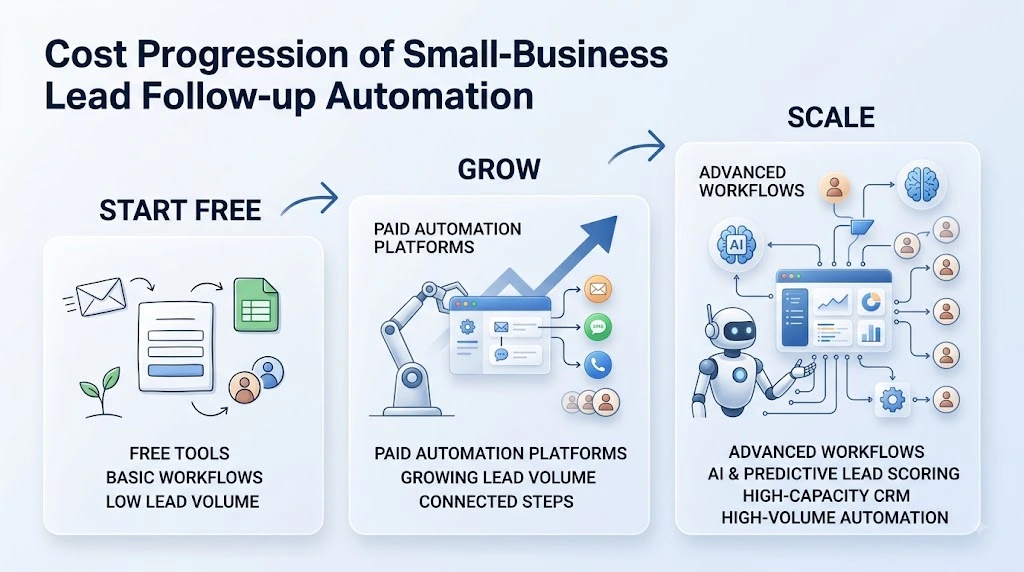
Most small businesses can start for free, but the free tiers are narrower than they used to be, so it’s worth knowing the real limits before you build around them:
- Zapier Free — 100 tasks/month, but Zaps are capped at two steps (one trigger, one action), which rules out a true multi-step sequence.
- Make Free—1,000 operations/month across 2 active scenarios, which is generous enough for a light multi-step workflow.
- Airtable Free — 1,000 records per base and roughly 100 automation runs/month.
- HubSpot Free CRM — unlimited contact storage for basic records, but no multi-step workflow automation or email sequences; those require a paid Sales Hub plan (Starter plans start around $15–20/seat/month, with real sequence automation gated to Professional at a much higher price).
- n8n — free and unlimited if self-hosted (you only pay for a small server, roughly $5–20/month); its own Cloud plans start at $20–24/month for a limited number of executions.
For a genuine multi-step sequence (Section 8’s Day 0 → Day 14 flow) on a free budget, the more realistic starting stack is Make’s free plan (or Zapier Professional once you outgrow the two-step limit) paired with Airtable for storage, since HubSpot’s free tier alone can’t run that sequence natively.
As lead volume grows, expect to move into paid tiers—typically a low monthly fee for a single automation tool, rising as you add multiple connected apps, AI features, or more CRM contacts. n8n’s self-hosted option tends to be the cheapest path at higher volumes, though it asks for more setup time upfront.
Always verify current pricing directly on each tool’s pricing page before budgeting, since these figures shift often: Zapier’s pricing, Make’s pricing, Airtable’s pricing, HubSpot’s pricing, and n8n’s pricing.
The right approach when you automate lead follow-up for small businesses without coding is to start on free tiers where they genuinely support your workflow, prove the system works, and only upgrade once volume justifies it. This cost discipline matters beyond just your follow-up stack; it’s part of how you scale your small business without burning cash more broadly.
14. The GoFundScale Lead Follow-Up Framework
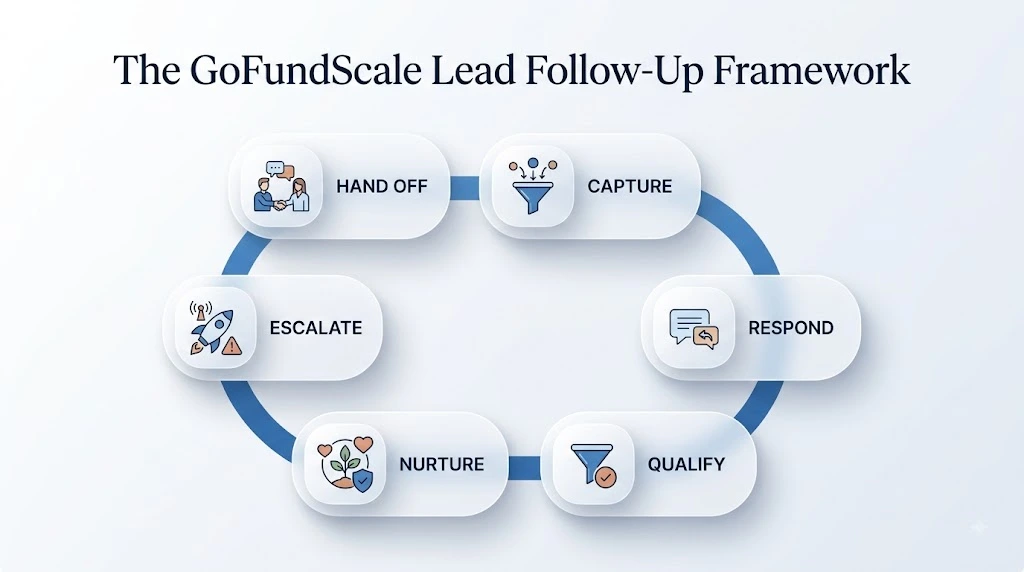
Bringing everything together, the GoFundScale framework condenses this entire guide—how to automate lead follow-up for small businesses without coding, end to end—into one repeatable structure:
- Capture every lead source into a single system.
- Respond within minutes, not hours, using an automated first message.
- Qualify with two or three simple questions.
- Nurture with a scheduled, time-boxed follow-up sequence.
- Escalate automatically when a reply, question, or delay signals it’s time.
- Hand off to a human at the first sign of real buying intent.
This framework isn’t tied to one tool. It’s a way of thinking about follow-up that you can build with Zapier and HubSpot today and rebuild with different tools later without losing the underlying logic.
15. Final Checklist: Is Your Follow-Up System Ready?
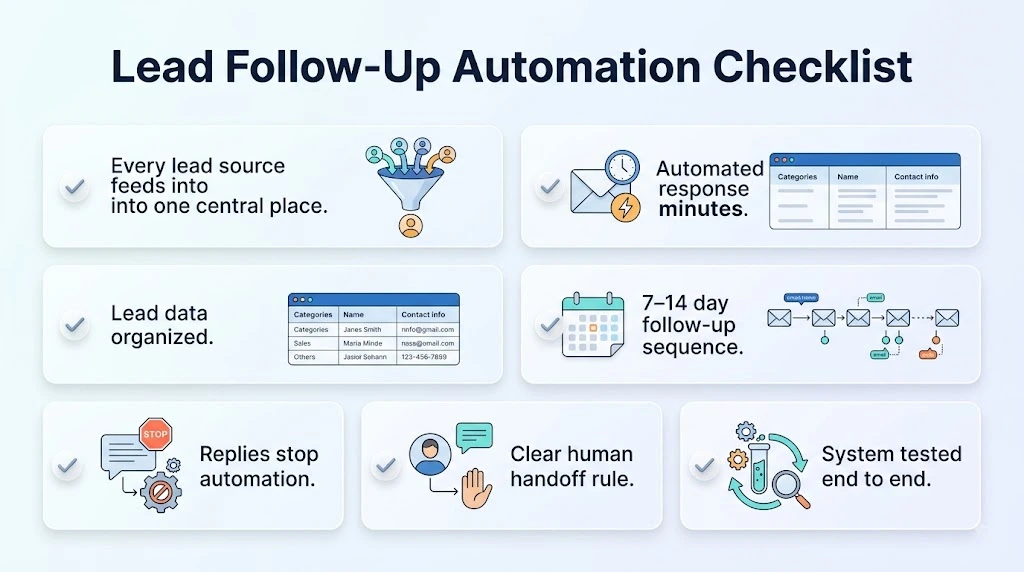
Before calling your system done, confirm:
- Every lead source feeds into one central place
- An automated response goes out within minutes of lead capture
- Leads are stored with source, status, and last-contacted date
- A follow-up sequence runs automatically for at least 7–14 days
- Any reply or booking instantly stops the automated sequence
- A clear rule defines when a human takes over
- You’ve reviewed the system’s actual messages at least once, end to end
If you can check every box, your follow-up system is ready to run without you babysitting it.
16. Conclusion
Automating lead follow-up isn’t about removing the human touch from your sales process — it’s about making sure that touch actually happens, every time, without depending on someone’s memory or free time.
The businesses that respond first and follow up consistently tend to win the deal, and as the Harvard Business Review research shows, that gap in response time is often measured in hours, not minutes.
You don’t need a developer or a big budget to learn how to automate lead follow-up for small businesses without coding. A form, a free automation tool, a simple CRM, and a short follow-up sequence can cover most of what a small business needs. Start with the six-step workflow, connect two or three no-code tools, and build from there as your lead volume grows.
Source
This article references original research from Harvard Business Review: Oldroyd, J.B., McElheran, K., & Elkington, D. (2011). “The Short Life of Online Sales Leads.” Harvard Business Review, 89(3).