Best AI Meeting Note Taker for Small Teams: 7 Top Tools in 2026

You know the moment. A client call ends, everyone nods that “we’re aligned,” and three days later two people remember the deadline differently. On a five-person team, nobody has a dedicated ops person to chase down what was actually decided — so it just gets dropped.
That’s the real reason small teams adopt an AI meeting note taker. Not because recording is trendy, but because nobody on a lean team has the bandwidth to be the designated note-taker every single call.
We compared current pricing, product features, integrations, free-plan limits, and small-team use cases across seven popular AI meeting note takers. Here is how they differ and which type of team each tool suits best — so you can find the best AI meeting note taker for small teams like yours without testing all seven yourself.
Quick answer: If you just want one recommendation — Fathom is the best all-round pick for most small teams because it’s free for individuals, easy to roll out, and doesn’t require any setup gymnastics. If you specifically don’t want a bot joining your calls, Granola is the better fit.
How to Choose the Best AI Meeting Note Taker for Small Teams
Before the comparisons — a lot of “best of” lists compare feature checklists that don’t map to how a five- or ten-person team actually works. A few things are worth checking before you commit a whole team to a tool:
- Does it work without training? If someone needs a walkthrough doc to use it, half the team never will.
- Are the summaries something people actually read? A wall of transcript text isn’t a summary — you want decisions, owners, and deadlines pulled out separately.
- Do you need everyone on a paid seat, or can one person record and share with the rest? This is the single biggest lever on cost for a small team.
- Bot or no bot? Some clients get uneasy seeing an unfamiliar name join the call as a “participant.” If you’re client-facing, this matters more than most feature comparisons let on.
- Where does the data go? Ask specifically about retention windows and whether your calls are used to train the vendor’s models — this varies a lot between these seven tools and it’s rarely front-and-center on the pricing page.
An AI meeting assistant should support a wider automation strategy rather than become another disconnected subscription. These business automation strategies for small businesses explain how to prioritize tools that remove repetitive work from everyday operations.
Quick Comparison Table
| Tool | Best for | Bot required? | Free plan | Starting paid price* |
|---|---|---|---|---|
| Fathom | Best overall value | Usually — bot-free mode available | Yes | $15/user/mo |
| Granola | Bot-free note-taking | No | Yes | $14/user/mo |
| Fireflies.ai | CRM sync & automation | Usually — bot-free options exist | Yes | $10/user/mo |
| Otter.ai | Live transcription | Optional agent | Yes | $8.33/user/mo |
| MeetGeek | Repeatable workflows | Optional | Yes | $9.99/user/mo |
| Krisp | Noisy calls, in-person capture | No | Trial | $8/user/mo |
| tl;dv | Sharing call clips | Optional | Yes | $18/user/mo |
*Lowest generally available annual price, checked August 2026. Confirm current pricing before buying — these vendors update plans often.
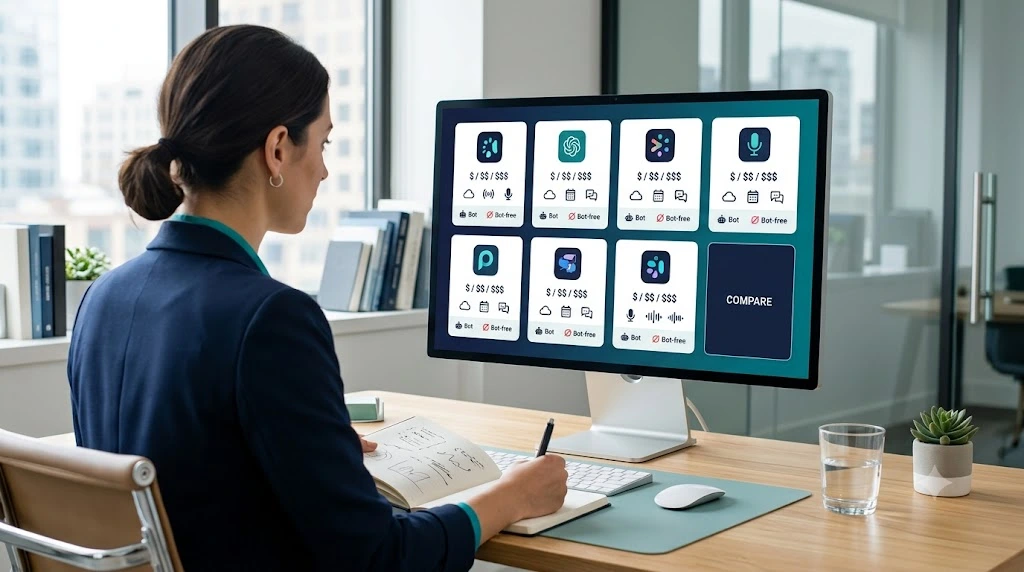
Across price, setup effort, and client-call experience, Fathom and Granola emerge as two of the strongest options for small teams. The sections below explain where each tool performs best and when one of the other five may be a better fit.
1. Fathom — The One Most Small Teams Should Start With
Fathom is the tool we’d point a five-person agency toward without much hesitation. It sits on Zoom, Google Meet, and Teams, and the free plan for individuals is genuinely unlimited — not a capped trial dressed up as “free forever.”
Fathom’s main advantage is not an exclusive feature — it is how little explanation the platform requires. Connect your calendar, pick which meetings get recorded, and the summary shows up in your inbox before you’ve finished your next coffee. That simplicity makes it particularly suitable for founders and client-facing teams that do not want to manage a complicated automation platform.
The Team plan runs about $15/user/month billed annually (two-seat minimum), and it plugs into Slack, HubSpot, Salesforce, and Gmail.
Where it’s genuinely good: the highlight clips. If a client says “actually, let’s go with the blue version” thirty minutes into a call, you can send that exact 12-second clip to your designer instead of paraphrasing it in a Slack message.
Capturing the decision is only the first step. Teams can also automate task assignment and reminders so action items from a meeting are assigned, given a deadline, and followed up automatically.
Where it falls short: the recording bot can feel intrusive on sensitive client calls, and the deeper team-intelligence features (cross-meeting search, shared analytics) sit behind paid seats.
2. Granola — For Teams That Don’t Want a Bot on the Call
Granola works differently from the rest of this list, and it’s worth understanding why before you dismiss it as “just another note taker.” It doesn’t join the call as a visible participant at all — it captures audio locally and merges it with whatever rough notes you jot down yourself during the conversation.
That last part matters more than it sounds. Because the AI is enhancing your notes rather than generating something from scratch, the output tends to reflect what you actually cared about in the meeting — not just whatever the transcript algorithm decided was important.
The free Basic plan is unlimited on meeting count but limits how far back you can search your history. Granola Business runs about $14/user/month.
Best fit: founders, recruiters, and consultants doing sensitive or relationship-heavy calls where a visible AI bot would change how the other person talks.
Trade-off: you get more out of it if you’re willing to type a few keywords during the call — people expecting a fully passive tool sometimes find the output thinner than Fathom’s.
3. Fireflies.ai — When the Note Taker Needs to Feed Your CRM
Fireflies.ai is built for a different problem than “help me remember the meeting.” It’s built for “get this into Salesforce without anyone copy-pasting.”
If your team is doing sales or recruiting calls and your CRM sits at the center of how you operate, Fireflies earns its keep here — it can detect competitor mentions, log objections, and push structured data straight into HubSpot or Salesforce automatically. A two-person sales team can review what came up across a week of demos without sitting through any of them.
Free plan includes limited storage; Pro starts around $10/seat/month annually.
If your meeting note taker does not offer a direct connection to your CRM or project platform, no-code integration tools such as Zapier, Make, n8n, and Pabbly can move summaries and action items between apps automatically.
Honest take: the interface has more menus than Fathom or Granola, which is the cost of the automation depth. If your team just wants “summarize my meeting,” this is more tool than you need.
4. Otter.ai — Built for the Meeting Happening Right Now
Most tools on this list summarize after the call. Otter.ai is genuinely useful during it — a live, editable transcript that participants can highlight, comment on, and assign actions to while the conversation is still happening.
That makes it a strong pick for hybrid setups: half the team in a conference room, half dialing in. Otter produces one shared, searchable record instead of two different versions of what happened.
Free plan gives 300 transcription minutes a month; Pro starts at $8.33/user/month with 1,200 monthly minutes.
Where it gets tight: that free minute allowance disappears fast if your team runs back-to-back calls, and heavier users will find themselves upgrading sooner than expected.
5. MeetGeek — For Teams That Run the Same Type of Meeting Every Week
MeetGeek is the pick if your team’s real problem isn’t “we forget things” — it’s “our discovery calls and our internal standups need completely different note formats, and right now they get the same generic summary.”
MeetGeek lets you build separate templates per meeting type, then automates what happens next: discovery-call notes route to the CRM, internal review notes route to your project board. A small consulting team can set this up once and stop thinking about it.
Basic plan includes 3 hours of recording/month; Pro starts around $9.99/user/month annually.
Setup cost: the templates and automations take real time to configure upfront — this isn’t a five-minute install like Fathom or Granola.
6. Krisp — When Bad Audio Is the Actual Problem
Krisp solves a problem the other six tools don’t touch: background noise. If your team works from home offices, cafés, or open-plan spaces, noise cancellation plus note-taking in one tool is a genuinely different value proposition than “better summaries.”
It runs at the device level rather than joining as a call participant, so it works across whatever conferencing app you’re already using — including phone calls and in-person conversations, not just scheduled Zoom links.
Core plan starts around $8/user/month annually.
Fit check: if your calls already sound clean, Krisp’s main differentiator won’t matter to you, and you’ll get more meeting-intelligence value from Fathom or Fireflies for the same money.
7. tl;dv — Built Around Sharing Moments, Not Just Notes
tl;dv treats a meeting less like a document to summarize and more like footage to edit. Timestamped clips are the whole point — a researcher running ten user interviews can send a developer three 20-second clips of real users describing the same pain point, instead of a transcript nobody will read end to end.
Free plan is generous on recording; Pro is the priciest on this list at roughly $18/user/month annually.
Best fit: product and customer-research teams where the exact words a customer used matter more than a paraphrased bullet point.

Which One Should You Actually Pick?
| If this is your priority | Go with |
|---|---|
| You want the safest, easiest starting point | Fathom |
| Clients shouldn’t see a bot join the call | Granola |
| Meeting data needs to land in your CRM automatically | Fireflies.ai |
| You run hybrid or in-person meetings often | Otter.ai |
| You run the same meeting type every week | MeetGeek |
| Your calls are noisy or on the move | Krisp |
| You need to share exact customer quotes, not summaries | tl;dv |
Start with the free plan of whichever one fits, and actually run it through two or three real meetings before deciding — not a demo call. Watch specifically for whether it gets the action items and owners right, because that’s the part that breaks trust fastest if it’s wrong.
Before You Turn It On: A Short Privacy Checklist
An AI note taker shouldn’t be dropped into every meeting by default without a moment’s thought.
- Tell people the meeting is being recorded or transcribed — don’t let them find out from a bot in the participant list.
- Check whether consent is legally required where your clients or team members are based.
- Keep AI note takers out of HR, legal, medical, or financial conversations unless you’ve specifically confirmed the tool and workflow are appropriate for that.
- Read the vendor’s actual retention and model-training policy — don’t assume “we don’t train on your data” applies unless it’s stated.
- Lock down who can access meeting folders that contain anything confidential.
- Decide how long you’re keeping recordings and transcripts before you need them, not after.
- Test the tool’s accuracy on your own team’s names and jargon before treating the notes as an official record — every one of these tools misfires occasionally.
Frequently Asked Questions
Which AI meeting note taker is best for Microsoft Teams?
Fathom, Fireflies, Otter, MeetGeek, and tl;dv all support Microsoft Teams directly. A few features on each — particularly bot-free recording — may depend on your organization’s Teams admin permissions, so it’s worth checking with whoever manages your Microsoft 365 setup before rolling a tool out company-wide.
Is there a good AI note taker for in-person meetings?
Yes — Otter, Krisp, and Granola all work for in-person conversations since they capture through your device’s microphone rather than joining an online call. Accuracy depends heavily on room acoustics and how many people are talking, so test it in your actual meeting room before trusting it for anything important.
Which AI note taker works without a bot joining the call?
Granola is built bot-free from the ground up, and MeetGeek and tl;dv also offer bot-free recording modes if you don’t want an extra “participant” showing up on the call.
Is there a free AI meeting note taker for small teams?
Yes — every tool on this list has some form of free plan. The limits differ: some cap monthly minutes (Otter), some cap meeting history (Granola), and some are unlimited but restrict team features (Fathom).
Are AI-generated meeting notes actually accurate?
No — not completely, and teams should not treat AI-generated notes as an unquestionable record. Even the best tools here occasionally mix up speakers, mishear technical terms, or assign an action item to the wrong person. Treat the output as a strong first draft and have a human confirm anything that involves a deadline, a dollar figure, or a client commitment.
How much should a small team budget for this?
Most paid plans cost approximately $8–$20 per user per month. Give paid seats first to employees who regularly host meetings, then share approved summaries with the wider team where licensing permits. This type of controlled software spending is one practical way to scale a small business without increasing costs.
What is the best AI meeting note taker for small teams overall?
For most small teams, the best AI meeting note taker for small teams is Fathom, because it combines a simple setup, useful action-item summaries, and a generous free plan for individuals. Teams that specifically don’t want a bot joining client calls are usually better off with Granola instead.
Bottom Line
For most businesses, the best AI meeting note taker for small teams is Fathom because it combines simple setup, useful summaries, and a generous free individual plan. If a bot joining your calls is a dealbreaker, Granola is the better starting point. Everyone else on this list is solving a more specific problem: Fireflies for CRM-heavy sales teams, Otter for hybrid meetings, MeetGeek for repeatable workflows, Krisp for bad audio, and tl;dv for teams that live and die by customer quotes.
Whichever you pick, run it for real before committing a whole team’s budget to it. The feature list rarely tells you as much as one messy Monday-morning call will.